We are excited to announce that we have now rolled out new Profile Categories for all APClips models, replacing our old (and sometimes confusing) Profile Tags system. We think Profile Categories provide a number of advantages :
- It’s easier than ever to find Categories that match your brand
- It’s easier to add, remove, or update your Categories
- A much faster and more intuitive search experience for end users
To ease your transition from Tags to Profile Categories, we did our best to try and match your old Tags to our new Profile Categories system – so you may be all set already! Note that this conversion may have resulted in some Tags getting removed, or matching you to an inaccurate Profile Category so we strongly recommend that you take a moment to update your Profile Categories.
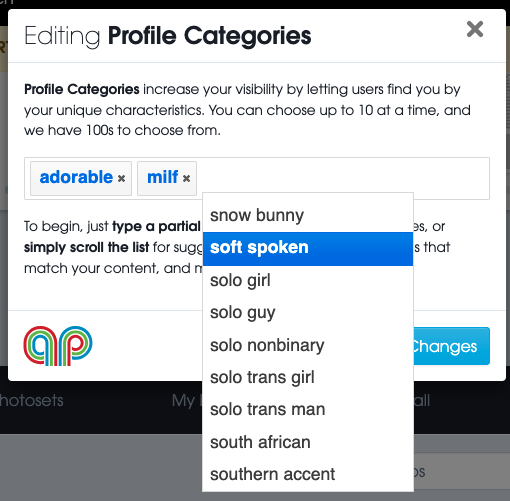
To get started, or to update your existing Profile Categories, simply visit your My Profile page and click “Edit Profile Categories”. To find the right categories, we recommend typing just a few letters that match your style & brand, then selecting from the results that come up. If you need any help finding a category, or want to suggest new ones, please consult our new Help Docs for Profile Categories or reach out at any time to support@apclips.com – we’re always happy to hear from you!